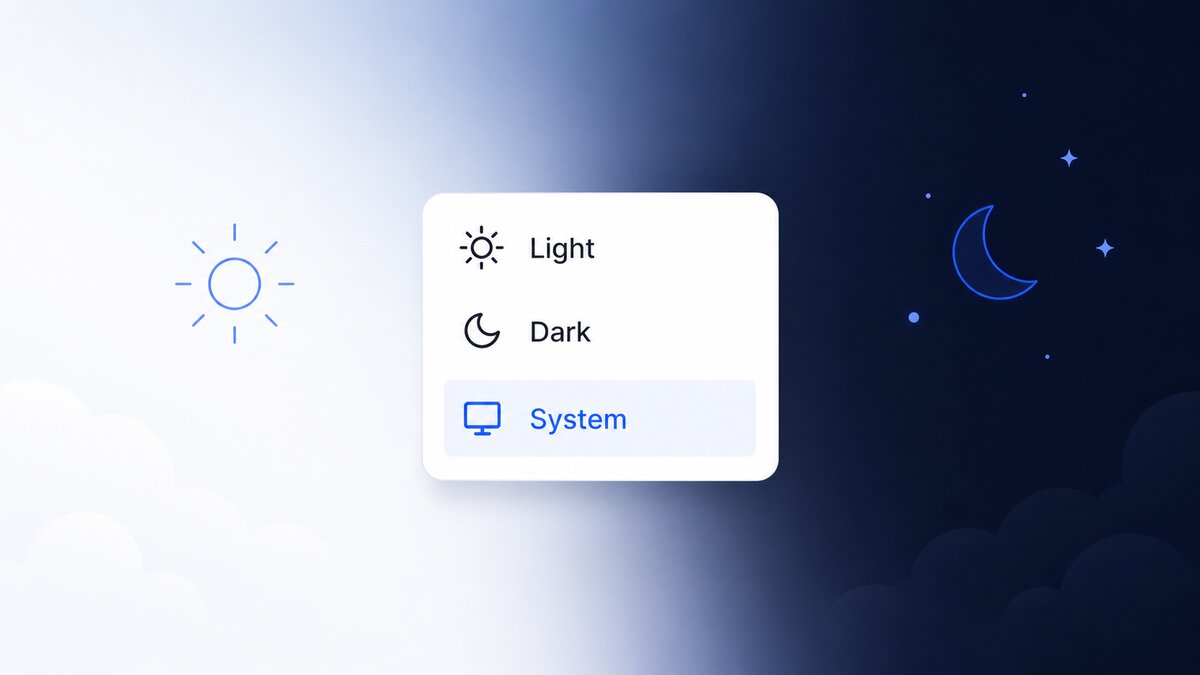
Building a Flash-Free Theme Switcher with color-scheme and light-dark()
TL;DR: A theme switcher is mostly a CSS problem with a thin JavaScript shell. Let the platform resolve colors (
color-scheme+light-dark()); use JS only to persist the choice and bridge the OS. The theme must land on<html>before first paint, or you flash the wrong one. Quick checklist:
- Flash of the wrong theme on load: theme applied in a component / after hydration instead of a blocking inline
<head>script?- Theme resets on reload: the choice was never written to
localStorage?- “System” ignores OS changes: no
matchMedia('(prefers-color-scheme: dark)')changelistener?- Scrollbars and form controls stay light in dark mode:
color-schemenot set on the root?- Manual override does nothing: toggling a class or
data-themebut never changingcolor-scheme, which is the only thinglight-dark()reads?- A code block won’t stay dark: overriding colors by hand instead of setting
color-schemeon that subtree?- Jarring snap on toggle: no short
transitiononcolor/background, or noprefers-reduced-motionguard?- One tab is dark, another is light: no
storageevent to sync the choice across tabs?
A theme switcher looks like a JavaScript feature and is mostly a CSS one. The browser already knows how to render light and dark, resolve the user’s OS preference, and repaint when it changes. The moment you reach for JavaScript to compute colors, you’ve taken a job the platform does better and faster. The guiding idea here is the same one that makes any custom control feel native: let the platform do the heavy lifting, and reserve JavaScript for the two things it genuinely owns: remembering the user’s choice, and reacting to the world outside CSS.
Everything below is plain CSS plus a small, dependency-free JavaScript core that ports unchanged to any framework, or to no framework at all. I reach for Angular Signals myself, but I’ll show the adapter in four frameworks, because the adapter is the least interesting part: ten lines over the same core. Swap it and the brain doesn’t move. The CSS and the core module are the portable truth. The live example is this very site: the toggle in the header runs exactly this design, and this page is rendering through it right now.
1. Kill the flash: apply the theme in a blocking <head> script
Principle: Resolve and apply the theme synchronously in an inline <head> script, before the body paints, so there is never a flash of the wrong theme.
Why. The persisted choice lives in localStorage, which the server can’t see. If you apply the theme from a framework component, it runs after the HTML has already painted: the user sees a white flash, then it snaps to dark. The only place to win is a small script that runs render-blocking, in <head>, before the first paint. It reads the stored value and writes color-scheme onto <html> immediately.
How (portable). Keep it inline and unbundled. Trust only the two explicit values; anything else (including “system”) falls through to light dark, letting the platform resolve.
<script>
  (function () {
    try {
      var pref = localStorage.getItem('theme');
      document.documentElement.style.colorScheme =
        pref === 'light' || pref === 'dark' ? pref : 'light dark';
    } catch (e) {}
  })();
</script>
Setting color-scheme to light dark (rather than a resolved light/dark) is deliberate: in system mode the platform picks the value natively, so a later OS change repaints with zero JavaScript. The try/catch matters because localStorage access throws in some privacy modes. Worst case, the page renders in system mode instead of crashing unthemed.
Gotchas
- An external
<script src>, or anydefer/async/type="module"script, runs too late, or at an unguaranteed time, to beat first paint. All of them reintroduce the flash. This one script must be inline and synchronous.- This is the one legitimate render-blocking script on the page. It’s a few hundred bytes; don’t “optimize” it into a bundle.
2. One source of truth: color-scheme + light-dark()
Principle: Declare color-scheme: light dark on :root and define every color once with light-dark(). Let the browser, not your JavaScript, pick the value.
Why. color-scheme does two jobs. It tells the browser which schemes the page renders in, and it themes the surfaces you don’t control: scrollbars, form controls, spellcheck underlines, native date pickers. light-dark(a, b) then returns a under a light color-scheme and b under a dark one. Define a token once and both themes travel with it: no second stylesheet, no duplicated block to keep in sync.
How (portable).
:root {
  color-scheme: light dark;
  --background: light-dark(#ffffff, #0f1117);
  --text:       light-dark(#1a1a1a, #e8e8e8);
  --accent:     light-dark(#0066ff, #4d94ff);
}
The one thing most theme switchers get wrong is this: light-dark() resolves solely against the used color-scheme. It does not look at prefers-color-scheme directly, and it does not look at a class or a data-theme attribute. So the only lever that flips a light-dark() value is color-scheme itself. That single fact is why the inline script in section 1 writes color-scheme and nothing else: change that property and the entire palette, native widgets included, flips at once.
Gotchas
- A manual override implemented as a class or
data-themealone will silently do nothing tolight-dark()values. The override has to setcolor-scheme.light-dark()is Baseline as of 2024 (Chrome/Edge 123, Firefox 120, Safari 17.5). For older browsers, pair a@media (prefers-color-scheme)fallback under an@supports (color: light-dark(#000, #fff))guard. With an evergreen audience you rarely need it.
3. Consume variables, never raw color: components theme for free
Principle: Every component references semantic CSS variables (--background, --text, --accent) and never hardcodes a hex value, so it themes automatically when the root flips.
Why. If a card reads var(--background), it has no theme logic of its own: toggling color-scheme on the root re-themes it for free. The moment a component hardcodes #000, it’s a theme bug waiting to surface in dark mode. Semantic names (--background, not --white) keep the intent readable and let a value change without a rename.
How (portable).
.card {
  background: var(--background);
  color: var(--text);
  border: 1px solid var(--border);
}
No :hover-of-theme, no per-component branch. One token layer, one place to change a color.
Gotcha
- Any literal
#000/#fffin component CSS is a latent dark-mode defect. Grep for raw hex; it should live only in the:roottoken definitions.
4. Persist an explicit choice: light / dark / system
Principle: Store the user’s choice (light, dark, or system) under a stable localStorage key, and treat “system” as the absence of a stored value, not a third string to render.
Why. Three states beat a boolean: a user can pick a fixed theme or explicitly defer to the OS. Storing a resolved light/dark when they chose “system” would silently freeze them out of following the OS later. So write light/dark on an explicit pick, and remove the key for system: “no key” cleanly means “follow the OS,” which is exactly what the inline script already assumes.
How (portable).
const KEY = 'theme';

function read() {
  try {
    const v = localStorage.getItem(KEY);
    return v === 'light' || v === 'dark' ? v : 'system';
  } catch {
    return 'system';
  }
}

function write(pref) {
  try {
    pref === 'system' ? localStorage.removeItem(KEY) : localStorage.setItem(KEY, pref);
  } catch {
    /* storage disabled: fall back to in-memory for this session */
  }
}
Gotchas
- Persisting the resolved theme for a “system” user loses their follow-the-OS intent. Persist the choice, resolve on read.
localStoragethrows in some sandboxed / privacy contexts. Guard every access, and degrade to system rather than erroring.
5. Follow the OS live: the prefers-color-scheme listener
Principle: While in system mode, subscribe to matchMedia('(prefers-color-scheme: dark)') change so a change in the OS theme updates the page instantly.
Why. With color-scheme: light dark, the colors already re-resolve natively when the OS flips, with no JavaScript needed for the paint. But anything you derive in JS (the toggle’s sun/moon icon, a “resolved theme” label) won’t know unless you listen. So the listener isn’t repainting colors; it’s re-syncing the JS-side view of reality. And it must fire only in system mode: if the user forced a theme, an OS change should be ignored.
How (portable).
const media = window.matchMedia('(prefers-color-scheme: dark)');

media.addEventListener('change', () => {
  if (read() === 'system') {
    // colors already flipped via color-scheme; refresh derived JS state
    notify();
  }
});
Gotchas
- Use
addEventListener('change', …). The oldMediaQueryList.addListeneris deprecated.- Gate on the current choice. Reacting to the OS while the user has forced light/dark is a real bug, not a nicety.
6. One brain, many bindings: the framework-agnostic core
Principle: Put all logic (read, persist, resolve, apply, react, sync) in one dependency-free module. Each framework gets a thin adapter that only forwards state into its reactivity primitive.
Why. This is what makes a theme switcher “framework-agnostic” rather than “an Angular thing” or “a React thing.” The hard parts (that one color-scheme write, the system resolution, the OS bridge, cross-tab sync) are pure DOM and belong nowhere near a component. Signals, hooks, stores: those are just how a given framework observes the core. Swap the framework and the ten-line adapter changes; the brain doesn’t.
How (portable). The entire core:
// theme.js: zero dependencies
const KEY = 'theme';
const media = window.matchMedia('(prefers-color-scheme: dark)');
const listeners = new Set();

const read = () => {
  try {
    const v = localStorage.getItem(KEY);
    return v === 'light' || v === 'dark' ? v : 'system';
  } catch { return 'system'; }
};

let preference = read();

export const getPreference = () => preference;
export const getResolved = () =>
  preference === 'system' ? (media.matches ? 'dark' : 'light') : preference;

function apply() {
  document.documentElement.style.colorScheme =
    preference === 'system' ? 'light dark' : preference;
}

function notify() {
  for (const fn of listeners) fn({ preference, resolved: getResolved() });
}

export function setPreference(next) {
  preference = next;
  try {
    next === 'system' ? localStorage.removeItem(KEY) : localStorage.setItem(KEY, next);
  } catch {}
  apply();
  notify();
}

export const subscribe = (fn) => (listeners.add(fn), () => listeners.delete(fn));

// follow the OS while in system mode
media.addEventListener('change', () => { if (preference === 'system') notify(); });

// keep every tab in sync
window.addEventListener('storage', (e) => {
  if (e.key === KEY) { preference = read(); apply(); notify(); }
});

apply(); // idempotent re-sync after the inline head script
The adapters. Each imports the same getPreference / getResolved / setPreference / subscribe; only the reactive wrapper differs:
// React: useSyncExternalStore is tearing-free and SSR-safe
import { useSyncExternalStore } from 'react';
import { subscribe, getPreference, getResolved, setPreference } from './theme';

export const useTheme = () => ({
  preference: useSyncExternalStore(subscribe, getPreference, () => 'system'),
  resolved:   useSyncExternalStore(subscribe, getResolved,   () => 'light'),
  setPreference,
});
// Vue: composable
import { ref, onScopeDispose } from 'vue';
import { subscribe, getPreference, getResolved, setPreference } from './theme';
export function useTheme() {
const preference = ref(getPreference());
const resolved = ref(getResolved());
onScopeDispose(subscribe(s => { preference.value = s.preference; resolved.value = s.resolved; }));
return { preference, resolved, setPreference };
}// Svelte: the store's start fn returns the core's unsubscribe directly
import { readable } from 'svelte/store';
import { subscribe, getPreference, getResolved, setPreference } from './theme';
export const theme = readable(
{ preference: getPreference(), resolved: getResolved() },
set => subscribe(set),
);
export { setPreference };// Angular: a signal service; the Signal is the whole "framework part"
import { Injectable, signal } from '@angular/core';
import { subscribe, getPreference, getResolved, setPreference } from './theme';
@Injectable({ providedIn: 'root' })
export class ThemeService {
readonly preference = signal(getPreference());
readonly resolved = signal(getResolved());
constructor() {
subscribe(({ preference, resolved }) => {
this.preference.set(preference);
this.resolved.set(resolved);
});
}
set = setPreference;
}Gotchas
- SSR / hydration. The server can’t know the choice, so it must render a neutral default; the inline head script corrects the DOM before paint. Give each framework a server snapshot of
'system'(or resolved'light') so the first client render matches the server and doesn’t warn or re-flash. Never touchwindow/localStorage/matchMediaduring server construction.- The core calls
apply()on load even though the inline script already themed the DOM. That’s intentional and idempotent: it re-establishes the same state on the client without a flash.
7. Force a scheme locally: set color-scheme on the subtree
Principle: To pin a section light or dark regardless of the global choice, set color-scheme on that element. Don’t hand-override its colors.
Why. Because light-dark() reads the used color-scheme, setting it on a container makes every descendant token resolve to that scheme automatically, native widgets included. Trying to force a look by overriding individual variables instead drifts from your tokens and skips the UA surfaces. Useful for code samples that should always read dark, embedded third-party widgets, or a brand section with fixed styling.
How (portable).
.code-sample { color-scheme: dark; } /* always dark, even in light mode */Gotcha
- Overriding a handful of colors by hand to “force dark” leaves scrollbars and form controls on the ambient scheme and desynced from your tokens. Set
color-schemeand letlight-dark()do the rest.
8. Smooth, honest transitions (and reduced motion)
Principle: Transition only color and background-color, on a short ~200ms ease, and disable transitions entirely under prefers-reduced-motion.
Why. A theme flip with zero transition can feel like a hard cut; one that eases the exact properties that change reads as polished. Enumerating properties (never transition: all) keeps it cheap and avoids animating layout. And some users are sensitive to motion, so honoring prefers-reduced-motion isn’t optional.
How (portable).
body {
  transition: color 0.2s ease, background-color 0.2s ease;
}

@media (prefers-reduced-motion: reduce) {
  *, *::before, *::after { transition: none; }
}
Gotchas
transition: allwill pick up layout properties and jank on toggle. Enumerate.- Don’t animate the initial theme apply. Because the inline script sets
color-schemebefore paint, there’s nothing to animate on first load. The transition only kicks in on a later user toggle, which is what you want.
Generalizing beyond a theme toggle
The shape here isn’t specific to dark mode: a declarative source of truth in CSS, with JavaScript reduced to persisting a choice and bridging the OS. That pattern generalizes to any user preference the platform half-supports: density, contrast, reduced data, font size. A few pieces lift out directly:
- The blocking inline
<head>script is the fix for any preference that must be correct before first paint, not just theme. - The
color-scheme+light-dark()token system is the whole theming engine; adding a preference means adding tokens, not branches. - The
matchMedia('change')bridge works for every OS-level media feature (prefers-reduced-motion,prefers-contrast,prefers-reduced-data), always gated on “am I actually in system mode for this?”. - The one-core-many-adapters split is how you keep a cross-cutting concern out of your components: the brain is plain DOM, the framework only observes it.
The lesson underneath all of it: prefer the platform’s color-scheme, light-dark(), and prefers-color-scheme primitives; reserve JavaScript for the two jobs CSS can’t do: remembering the choice, and noticing when the world changes.